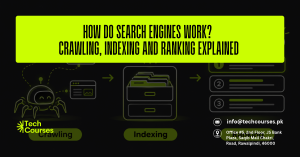
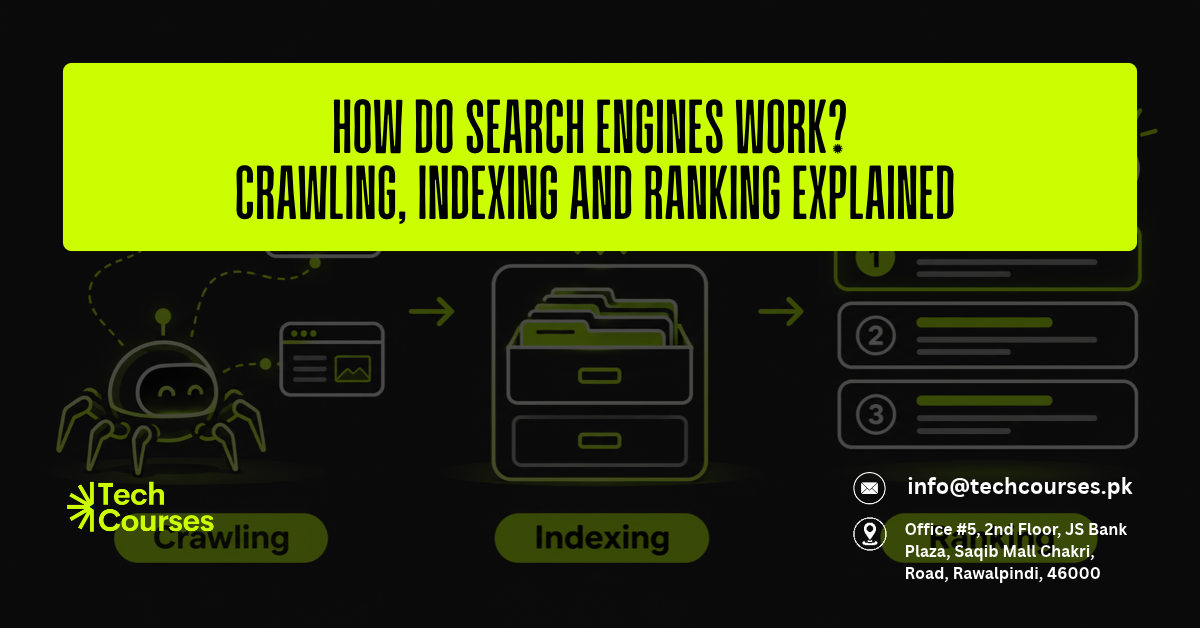
Every time you search on Google, it picks a few pages out of hundreds of billions and orders them in under a second. Search engines work in three stages: crawling, indexing and ranking. Crawling finds pages, indexing stores and understands them, and ranking decides which ones show up first.
What most guides skip is that a page can fail at any of these stages. A page that is never crawled cannot be indexed, and a page that is not indexed can never rank. This guide explains each stage using Google’s own documentation and shows you where pages get stuck and how to fix them.
What Is a Search Engine?
A search engine is a system that finds web pages, organizes them and ranks them to answer a user’s question. Google, Bing and DuckDuckGo all work this way. This guide uses Google as the main example.
The 3 Stages of How Search Engines Work
- Crawling: Bots discover pages and download their text, images and videos.
- Indexing: The search engine analyzes that content and stores it in a huge database called the index.
- Ranking (serving): When someone searches, the engine pulls the most relevant, highest quality pages from the index and puts them in order.
Google states that not every page makes it through all three stages. It also says it does not accept payment to crawl a site more often or to rank it higher.
Stage 1: Search Engine Crawling (How Pages Are Found)
Crawling is the discovery stage. Search engines use automated programs called crawlers, bots or spiders to visit pages. Google’s crawler is called Googlebot.
How Googlebot Discovers New Pages
Google finds new and updated URLs in three main ways:
- Following links from pages it already knows
- Revisiting pages it crawled before to check for changes
- Reading XML sitemaps that site owners submit
An algorithm decides which sites to crawl, how often, and how many pages to fetch from each. Googlebot also avoids overloading servers. If a site starts returning server errors such as HTTP 500, Googlebot slows down.
Rendering: How Crawlers See JavaScript
During crawling, Google renders the page using a recent version of Chrome, much like your own browser. If important text only appears after scripts run, and those scripts are blocked or broken, Google may not see that content at all.
What Stops a Page from Being Crawled
- A robots.txt rule that blocks the URL
- Server errors or very slow hosting
- Network or DNS problems
- Pages that sit behind a login
- Orphan pages with no internal links pointing to them
You may also hear the term “crawl budget”. Google says it mainly matters for very large sites, so most small and medium sites do not need to worry about it.
Stage 2: Search Engine Indexing (How Pages Are Stored)
After a page is crawled, Google tries to understand what it is about. It analyzes the text, key tags such as the title element and image alt attributes, and any images or videos. The results are stored in the Google index.
Canonical Pages and Duplicate Content
Google groups pages with very similar content into a cluster and picks one as the canonical, meaning the most representative version. The canonical is the page that usually appears in search results, and the others become alternates.
A common example is one product page reachable through several URLs with tracking or filter parameters. You can suggest your preferred version with a rel=”canonical” tag.
Why a Crawled Page May Not Get Indexed
Indexing is never guaranteed. Common reasons a page is left out include:
- Thin or low quality content
- A noindex robots meta tag
- The page is a duplicate of another page
- A site design that makes the content hard to process
One mistake many site owners make: if you block a page in robots.txt, Google cannot read its noindex tag. The URL can then still get indexed, without its content, if other pages link to it. To keep a page out of the index, allow crawling and use noindex.
Stage 3: Search Engine Ranking (How Results Are Ordered)
When someone searches, Google returns the pages from its index it judges most relevant and highest quality. This process is fully automated and uses hundreds of signals.
The 5 Key Factors Google Uses to Rank Pages
Google groups its ranking signals into five broad areas:
- Meaning of the query: Google first works out the intent behind the words, including spelling mistakes and synonyms.
- Relevance: It checks whether the page answers the query. The most basic signal is the page using the same words as the search in its headings or body text.
- Quality: It favors content that shows expertise, authority and trust. Links from other well-known sites are one sign that content is trusted.
- Usability: When pages are otherwise similar, the one that loads fast and works well on mobile may do better.
- Context and settings: Your location, language and search settings shape what you see.
Why Search Results Differ for Each User
Because of context, the same search can return different results in different cities. A search for “coffee shop” shows local map listings, while “how to make cold brew” may show videos.
Where AI Overviews Fit In
AI Overviews pull their information from pages already in Google’s index. Google says there are no extra technical requirements to appear in them. A page simply needs to be indexed and eligible to show a snippet, so strong crawling and indexing basics matter for AI search too.
Where Pages Get Stuck: Quick Diagnosis Guide
Google Search Console shows the status of your pages in its Page indexing report. Here is what the most common statuses mean:
| Status or problem | Stage | What to do |
|---|---|---|
| URL is unknown to Google | Crawling | Add internal links and list it in your XML sitemap |
| Blocked by robots.txt | Crawling | Remove the blocking rule if the page should rank |
| Discovered, currently not indexed | Crawling | Strengthen internal links and check server speed |
| Crawled, currently not indexed | Indexing | Make the content more useful and unique |
| Excluded by noindex tag | Indexing | Remove the noindex tag |
| Duplicate, Google chose different canonical | Indexing | Set a clear canonical or merge the pages |
| Indexed but gets no clicks | Ranking | Match search intent, improve content, earn links |
After fixing a page, use the URL Inspection tool in Search Console to test it and request indexing.
How to Help Search Engines Crawl, Index and Rank Your Site
- Submit an XML sitemap in Google Search Console
- Link every important page from at least one other page
- Check your robots.txt file after every site update
- Give each page one clear topic, a unique title tag and logical headings
- Make sure pages load quickly and work well on mobile
- Earn links from trusted, relevant websites
To practice these steps on real websites, our SEO course in Rawalpindi covers technical SEO, keyword research and Search Console in hands-on, in-person classes. Site structure and clean code also affect crawling, which our web design course teaches. Store owners face extra duplicate URLs from product variants, a topic covered in our Shopify course in Rawalpindi. For SEO, ads and social media together, see our digital marketing course.
Frequently Asked Questions
What is the difference between crawling and indexing?
Crawling is when a search engine bot visits and downloads a page. Indexing is when the search engine analyzes that page and decides to store it in its database. A page can be crawled but still not indexed.
How long does it take Google to index a new page?
Google says crawling can take anywhere from a few days to a few weeks. Well-linked pages on regularly updated sites tend to be found faster. Requesting indexing in Search Console can help, but it does not guarantee a quick result.
Can I pay Google to rank my website higher?
No. Google does not accept payment for organic rankings. Google Ads appear in separate slots marked “Sponsored” and do not affect your organic position.
Why is my page indexed but not ranking?
Being indexed only means your page is eligible to appear. If it does not rank, it usually misses the search intent, has less depth than competing pages, or has fewer trusted links pointing to it.
Summary
Search engines work in three stages: crawling finds pages, indexing understands and stores them, and ranking orders them for each search. Each stage depends on the one before it, so a page blocked from crawling or left out of the index can never rank, however good its content is. Fix crawl and index problems first, then focus on relevance, quality and usability to earn better rankings.