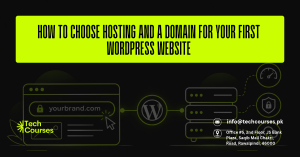
Every WordPress website needs two things before you can install anything: a domain name and web hosting. The domain is your address, like yourbrand.com. The hosting is the server that stores your files and shows your site to visitors.
Most guides stop at “pick a .com and buy cheap hosting.” That advice skips the parts that cost beginners money later, such as renewal prices, who legally owns the domain, and whether the server even meets WordPress requirements. This guide covers each choice so your first WordPress website starts on the right setup.
How to Choose a Domain Name for Your WordPress Website
Your domain is the one part of your site you cannot change later without losing links and search rankings.
Pick the Right Domain Extension
- Choose .com if you serve a global or mixed audience. It is the most recognised extension and the one people type by default.
- Choose .pk or .com.pk if your customers are mainly in Pakistan. A local extension tells Google and visitors that you serve the Pakistani market. PKNIC, the official .pk registry, charges Pakistani residents Rs. 2,100 per year (raised from Rs. 1,800 in August 2026), billed in two-year blocks. Resellers usually add a service fee on top.
- Skip trendy extensions like .xyz or .online for a business site. They are cheap in year one but often renew at much higher rates.
Make It Short, Clear and Easy to Spell
Say your domain out loud to a friend. If they have to ask how to spell it, change it.
- Keep it under 15 characters where possible
- Avoid hyphens and numbers (“best-web4u” gets mistyped)
- Use your brand name, or brand plus one service word, such as zainbakes.pk
- Do not stuff keywords. A keyword in the domain will not rank a weak site on its own
Check Trademarks and Social Handles First
Before you buy, search the name on social platforms and run a quick trademark search. In Pakistan, IPO Pakistan holds the trademark records. A clash can force a costly rename later.
Register the Domain in Your Own Name
This is the point most competitor guides miss. Whoever is listed as the registrant legally controls the domain.
- If a freelancer or agency registers it for you, ask them to use your name and email, or give you the login
- Turn on auto-renew so the domain never expires by accident
- Know that new .com, .net and .org domains are locked for 60 days under ICANN transfer rules, so you cannot move them to another registrar straight away
How to Choose WordPress Hosting for Beginners
Your host decides how fast your site loads, how often it goes down, and how easily you can recover from a mistake.
Shared vs Managed WordPress vs VPS Hosting
| Hosting type | Best for | Main trade-off |
|---|---|---|
| Shared hosting | First blogs, portfolios, small business sites | Cheapest, but you share server resources with other sites |
| Managed WordPress hosting | Business sites, online stores, owners with no tech help | Costs more, but updates, backups and caching are handled for you |
| VPS or cloud hosting | Growing sites with steady traffic | Fast and flexible, but you or a developer must manage the server |
For most first websites, good shared hosting or entry-level managed WordPress hosting is enough. You can upgrade later without changing your domain.
Check the WordPress Hosting Requirements
Most beginners skip this check. WordPress.org recommends a host that supports:
- PHP 8.3 or newer
- MariaDB 10.11+ or MySQL 8.0+
- HTTPS (an SSL certificate) on every site
WordPress still runs on PHP 7.4, but that version no longer gets security patches. Before you pay, ask the host’s live chat which PHP versions their plan offers. After launch, you can confirm it in your dashboard under Tools > Site Health > Info.
Features That Actually Matter
- Daily automatic backups with one-click restore. Make sure copies are stored off the server.
- Free SSL certificate that renews automatically.
- One-click WordPress install so you skip manual database setup.
- Staging site to test theme or plugin changes before they go live.
- Server location near your visitors. A site for Rawalpindi customers should not sit on a server in the US if the host offers Asian or European data centres.
- Real 24/7 support by live chat, not just email tickets.
- Business email included, or at least easy to add.
If you want to learn to set up and manage all of this yourself, a hands-on WordPress course in Rawalpindi covers hosting setup, installation and site management in class.
Hidden Hosting and Domain Costs Most Guides Skip
Check these before you pay:
- Renewal price vs first-term price. The low monthly rate usually needs 2 to 4 years paid upfront, and the plan then renews at a much higher regular rate. Always check the renewal price.
- “Free domain” means free for year one. From year two you pay the registrar’s normal renewal fee.
- Pre-ticked add-ons. Untick paid extras like SEO tools or security scanners you did not plan to buy.
- Domain privacy. Some registrars include it free. Others charge yearly to hide your personal details from public WHOIS records.
- Email hosting. Not every plan includes business email.
Should You Buy Domain and Hosting From the Same Company?
- Same company: One bill, one login and no DNS settings to change. Best if you want the simplest setup.
- Separate registrar: Your domain stays safe even if you move hosts or your hosting account is suspended. Best if you plan to switch hosts later or manage several sites.
For a first site, buying both together is fine. Just make sure the domain is in your name and you can transfer it out after the 60-day lock ends.
Step-by-Step Checklist to Set Up Your Domain and Hosting
The setup itself takes under an hour:
- Shortlist two or three names and check they are free on a registrar or the PKNIC WHOIS tool.
- Compare hosting plans on renewal price, PHP version, backups and server location, not just the first-month price.
- Buy the plan and register or connect your domain during checkout. Untick add-ons you do not need.
- Choose your data centre closest to your main audience.
- Install WordPress with the host’s one-click installer. Use a unique admin username, never “admin”, and a strong password.
- Turn on SSL and make sure your site loads on https://.
- Confirm backups are running and save your registrar and hosting logins in a password manager.
After launch, our web design course helps you build pages that look professional, and an SEO course teaches you how to get those pages found on Google. If you would rather sell products on Shopify than build a WooCommerce store, the Shopify course is the better fit.
FAQs About Choosing Hosting and a Domain for WordPress
Can I use WordPress without buying hosting?
Yes, through WordPress.com, which hosts the site for you. But self-hosted WordPress from WordPress.org, on your own hosting, gives you full control over plugins, themes and your files.
Is a .pk domain better than .com for SEO in Pakistan?
Neither ranks higher by default. A .pk domain sends a clear local signal to Google and builds trust with Pakistani buyers, while a .com suits a wider audience. Many local businesses register both and redirect one to the other.
Can I change my hosting provider later?
Yes. You can move a WordPress site to a new host at any time by migrating the files and database, then updating your DNS. Your domain and rankings stay the same if it is done properly.
What happens if my domain expires?
Your website and any email on that domain stop working. Most registrars give a short grace period to renew at the normal price, followed by a costlier redemption period. After that, anyone can register the name. Turn on auto-renew to avoid this.
Final Summary
Pick a short, easy-to-spell domain on .com for a wide audience or .pk for Pakistani customers, and make sure it is registered in your own name with auto-renew on. Shared hosting suits most first sites while managed WordPress hosting saves time for busy business owners, but either one must support PHP 8.3+, HTTPS and daily off-server backups. Compare renewal prices instead of first-month deals, and you will launch your first WordPress website on a setup that is cheap to run and easy to grow.